


Getting Started


Introduction
REFOX Bitmap is a powerful tool for electronics repair, offering detailed circuit diagrams, motherboard layouts, and maintenance guides. This comprehensive guide will walk you through the entire process, from downloading the software to logging into your account for the first time.
System Requirements
Before installing REFOX Bitmap, ensure your system meets the following requirements:
Operating Systems
- Windows 10 or later - Fully supported
- macOS: Not available
- Linux: Not available
Internet Connection
A stable internet connection is required for the application to function properly, including account authentication and accessing the latest diagram databases.
Note: While our application is designed to be compatible with Windows systems, it's essential to keep your operating system and browser up to date for optimal performance and security.
Downloading REFOX Bitmap
Step 1: Visit the Official Website
Begin by visiting the official REFOX website at http://www.refoxteam.com/ and navigate to the download section.
Step 2: Download the Software
If you are using Google Chrome, the browser might flag the download. Don't be alarmed; this is common for specialized software. Simply click "Keep" to confirm and proceed with the download.
Note: This warning typically does not appear when using the default Internet Explorer browser.

Download page on the REFOX website
Configuring Windows Security
To ensure REFOX runs without interruption, you need to add it to your Windows Security exclusions list. This prevents the built-in antivirus from mistakenly blocking the program.
Step 3: Windows Security Alert
After downloading and attempting to run the software, Windows Security on Windows 10/11 will likely detect it as a potential threat.
Windows Security alert for REFOX
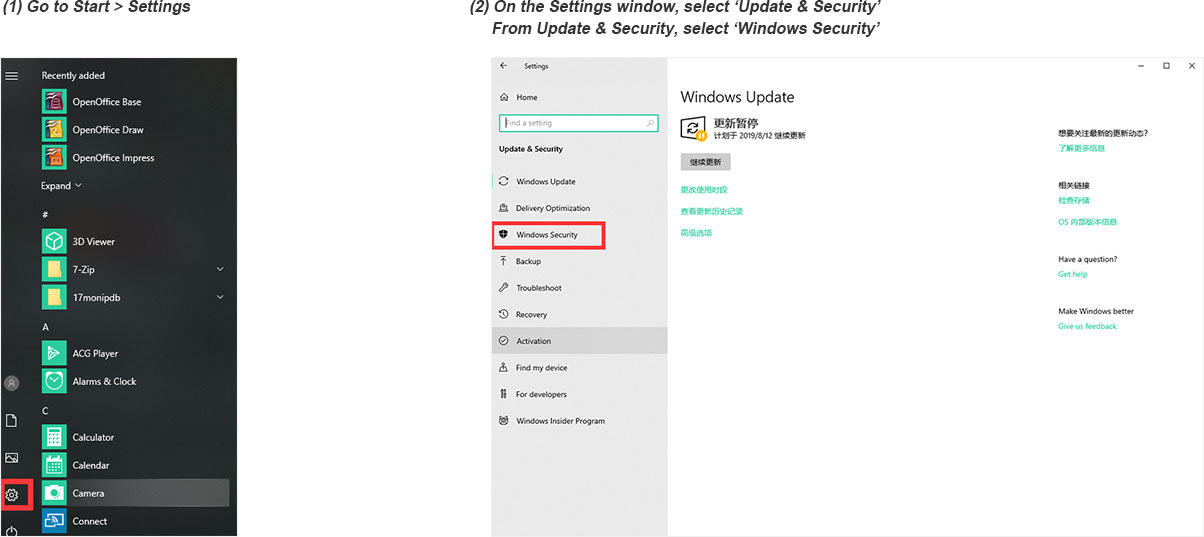
Step 4: Access Windows Security Settings
Open your Windows Settings, go to Update & Security > Windows Security, and click on Virus & threat protection.
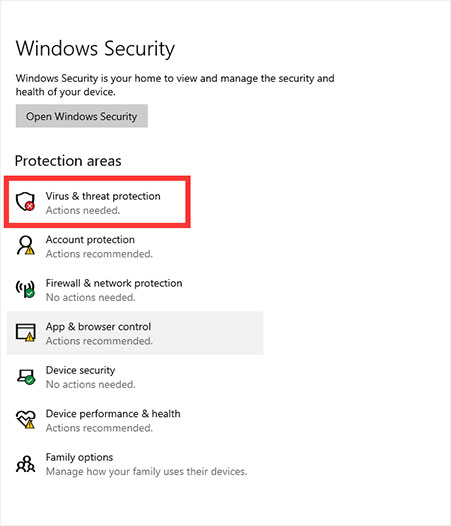
Windows Security settings
Step 5: Manage Protection Settings
On the Virus & threat protection screen, scroll down and click on Manage settings.
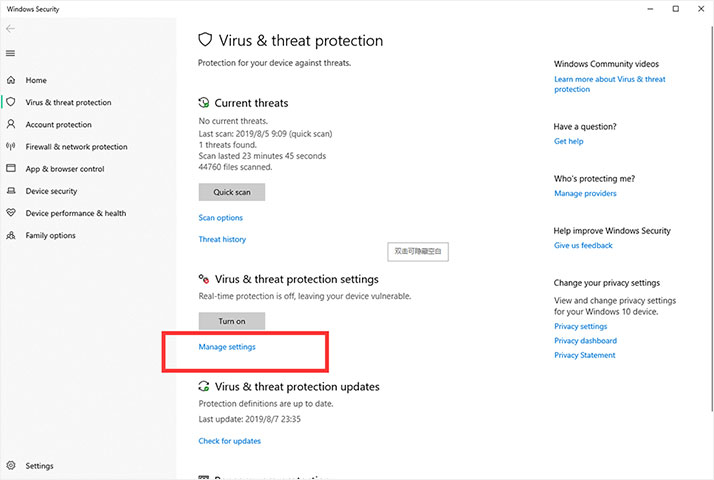
Virus & threat protection settings
Step 6: Add Exclusions
Scroll down to the Exclusions section and click on Add or remove exclusions.
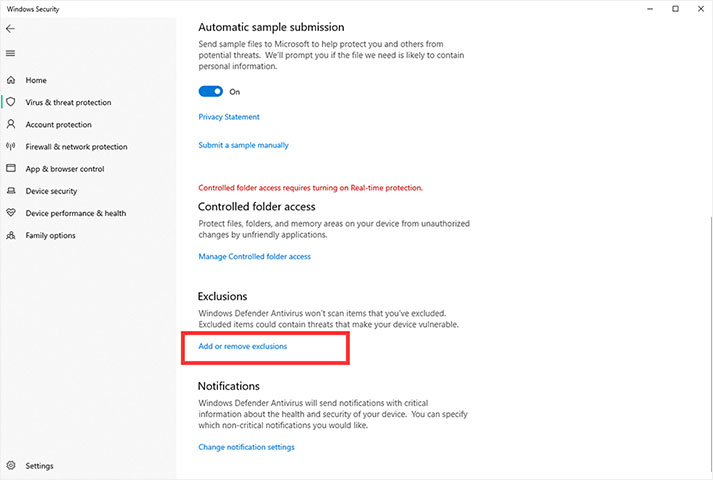
Exclusions section in Windows Security
Step 7: Exclude the REFOX Folder
This is the crucial step. Click the "Add an exclusion" button. From the drop-down menu, select Folder. Now, navigate to and select the entire decompressed REFOX folder on your computer. Click Select Folder to add it to the exclusions list.
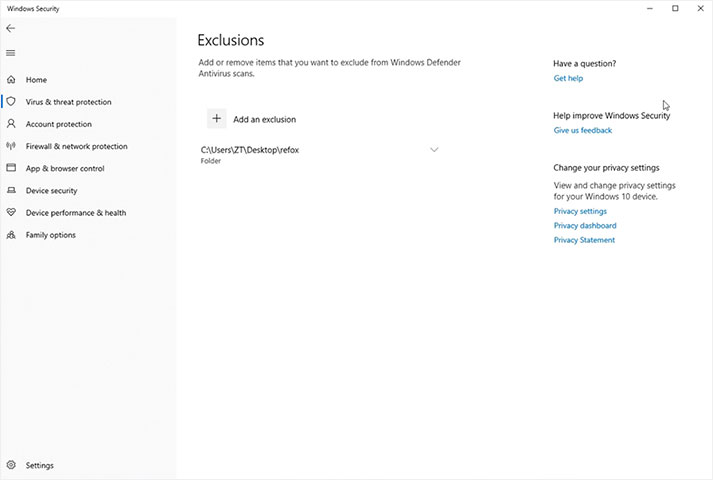
Adding the REFOX folder to exclusions
Running the Software
Step 8: Launch REFOX
Now, locate the REFOX folder on your computer and double-click refox.exe to launch the application.
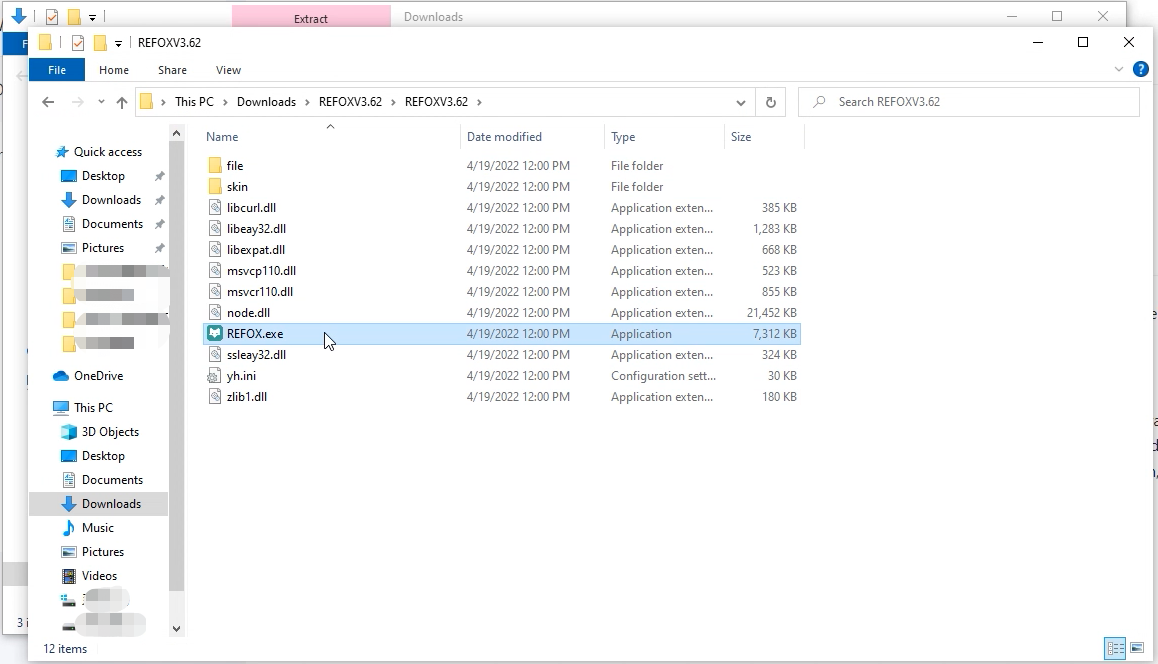
REFOX executable file
Creating Your Account
Step 1: Sign Up
Upon launching REFOX, you'll see the login screen. Click the Sign up button to create your new account.
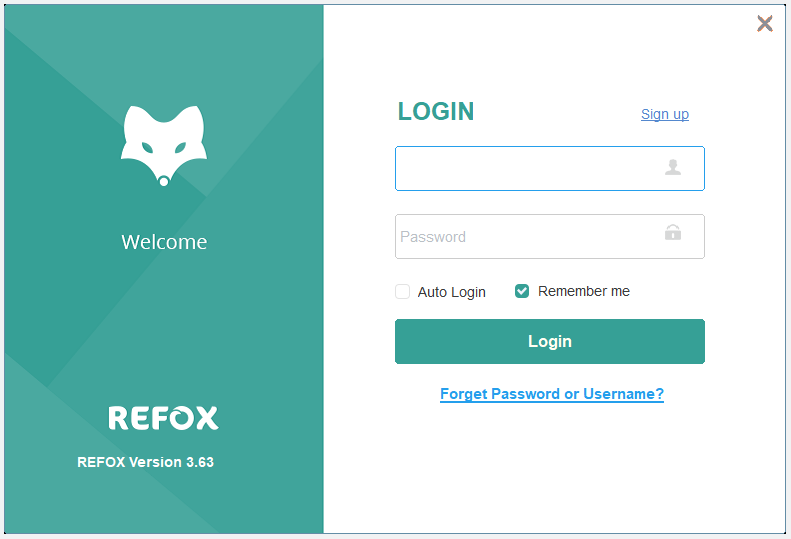
REFOX login screen with Sign up button
Step 2: Fill in Registration Details
Fill in all the required information on the signup form carefully. Once completed, click CREATE AN ACCOUNT. You will immediately receive an activation email at the address you provided.
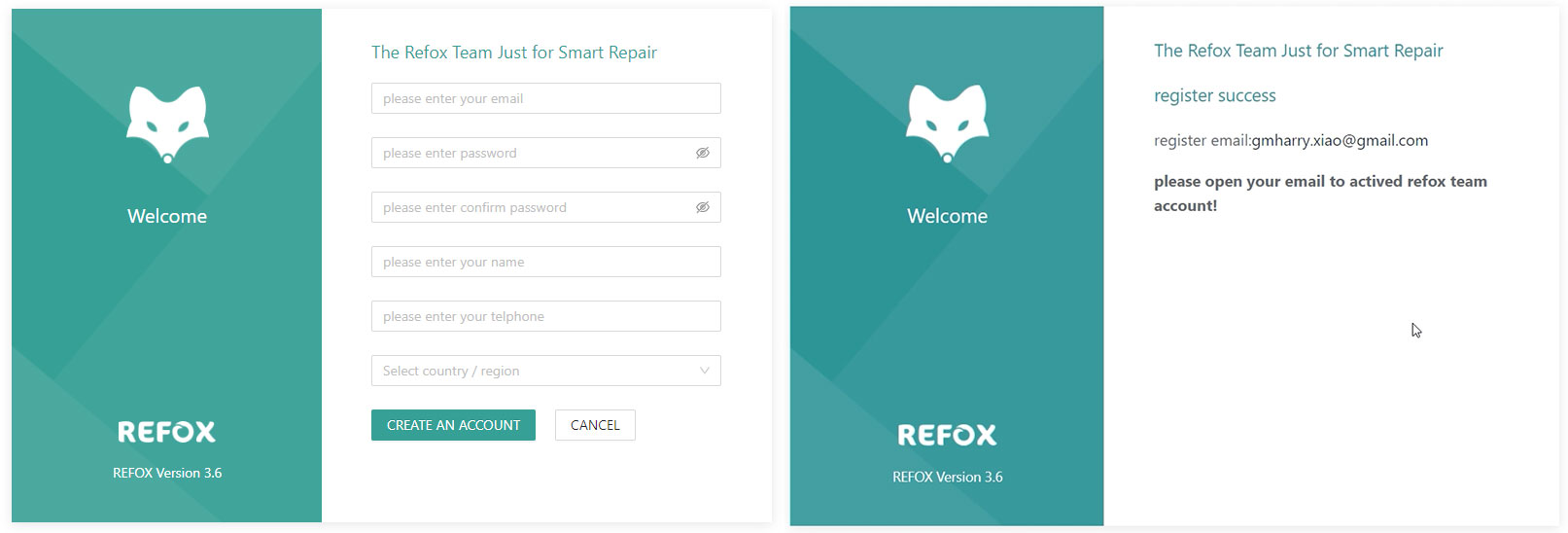
REFOX registration form
Step 3: Activate Your Account
Check your email inbox (and your spam folder, just in case) for the activation message from REFOX. Click the Activate Account link inside the email.
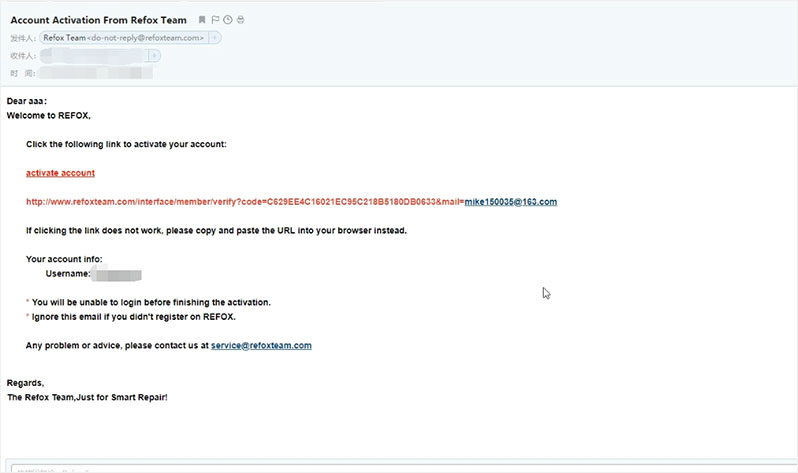
Account activation email
Step 4: Log In
Congratulations! Your account is now active. Return to the REFOX application, enter your new account credentials (email and password), and click to log in.
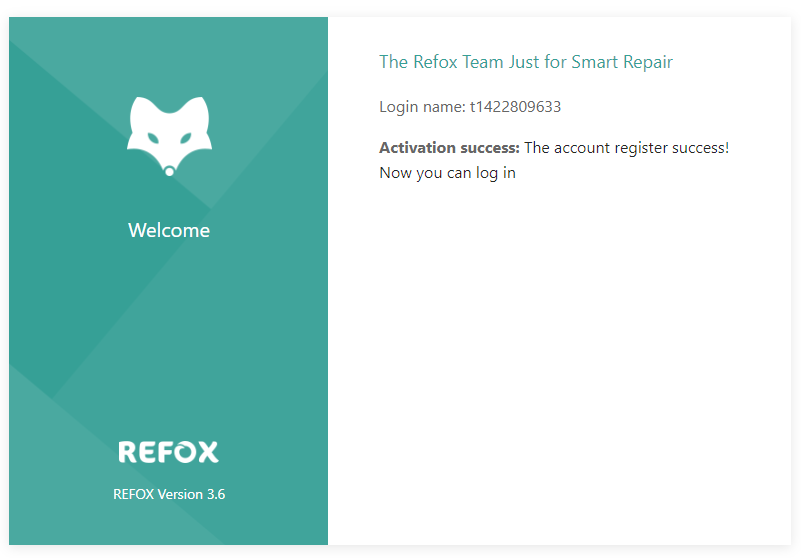
Logging into REFOX
REFOX Bitmap Interface Overview
Once you're inside, you'll have access to a suite of powerful features designed for professional repair:
Split View & Menu
Navigate effortlessly between different diagram types and data sheets.
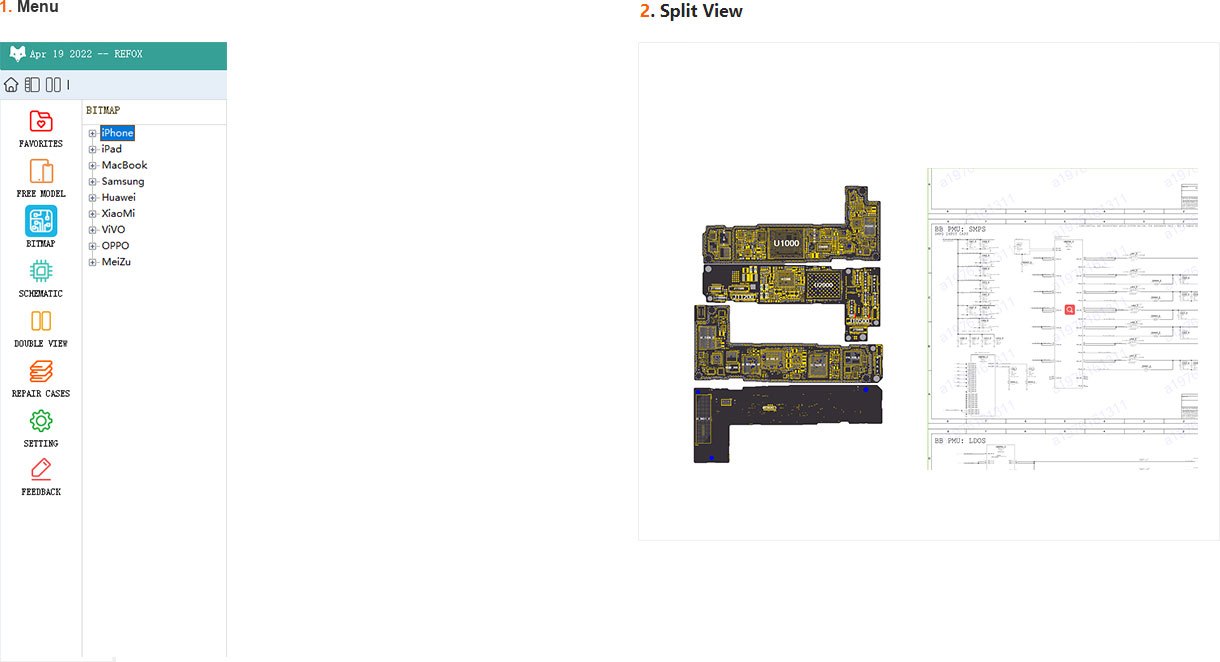
Circuit Flow
Trace signals and understand the logical flow of the board.
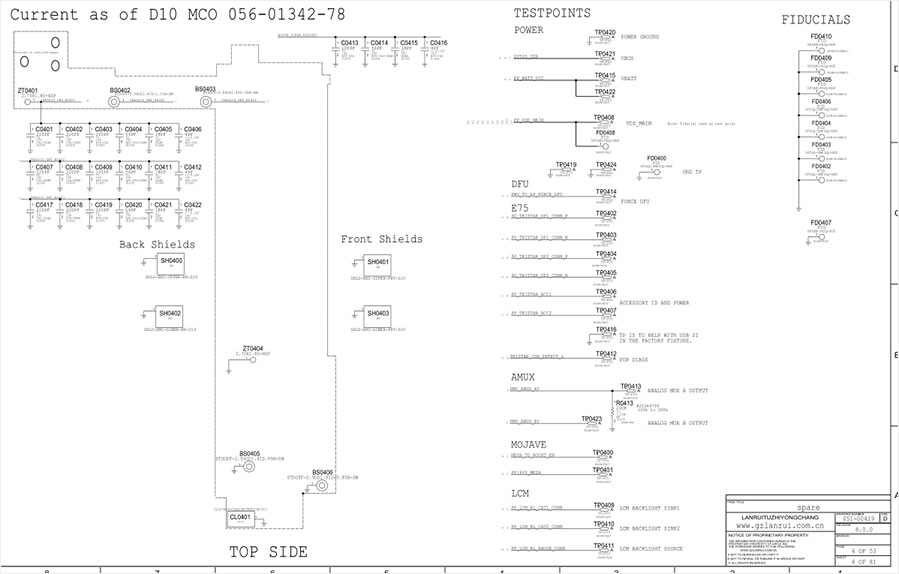
Motherboard Layouts
Get detailed views of component placement and board layers.
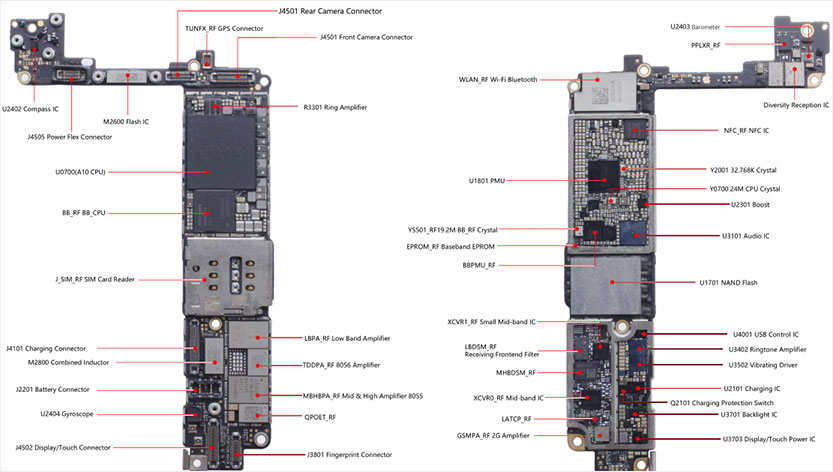
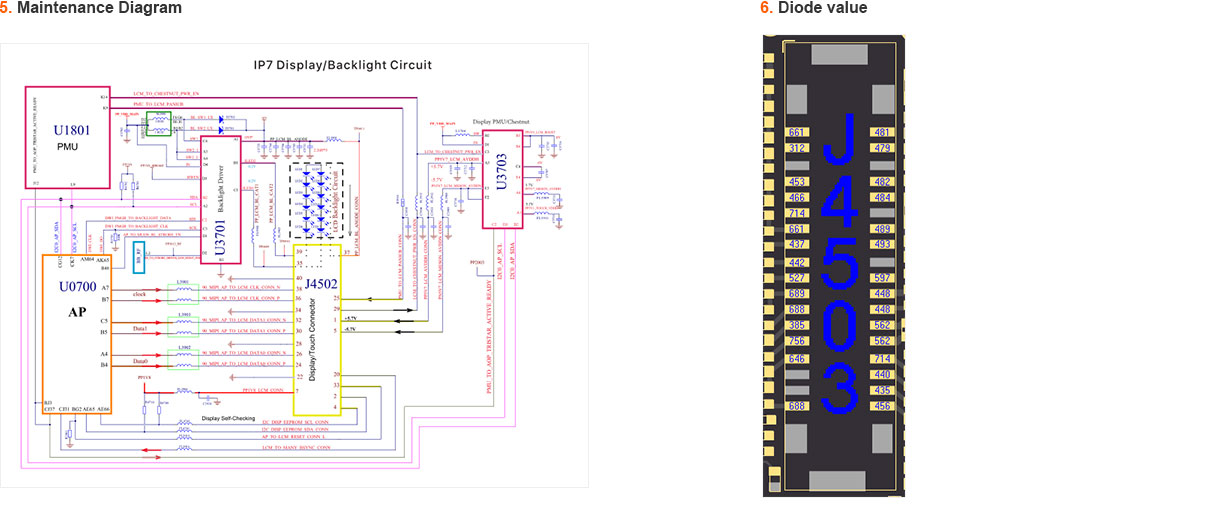
Maintenance Diagrams
Access step-by-step repair guides and troubleshooting procedures.
 You're All Set!
You have successfully installed REFOX Bitmap, created your account, and bypassed common Windows security hurdles. You are now ready to leverage this advanced tool to streamline your electronics repair workflow, diagnose issues with precision, and execute repairs with confidence.